
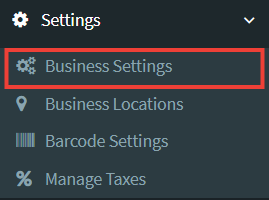
The Business Settings tab to the bottom left of your Seller Dashboard gives you the options to add and edit information about your store including Business Logo, Opening Hours and Policies.
General Settings
Under the general tab you can edit the following:
- Default Profit Percentage: used to calculate selling price based on purchased price entered. This can be adjusted for different items when adding them to your store.
- Currency Symbol Placement: choose whether you would like your currency symbol to show before or after the prices displayed in your store.
- Time Zone: adjust time zone
- Stock Accounting Method: select the method you use for managing your business’ stock
- Upload Logo: use to upload your business logo. (Logos should be no bigger than 250KB).
- Date Format: choose date formatting for how dates are shown on invoices
- Time Format: choose between 12 hour and 24 hour formatting for time shown on invoices
- Switch Packages: Upgrade or change your package subscription
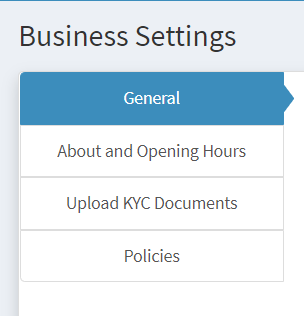
About and Opening Hours
This tab consists of 3 sections:
- About Us: tell your customers more about your business. Your mission or vision and how they can benefit from your business.
- Opening Hours: let your customers know your business/office hours.
- Social Media Links: add links to your social media pages including Facebook, Twitter, Instagram, LinkedIn and Pinterest
Upload KYC Documents
Under this tab, you are required to add or upload all KYC documents required for business verification.
To complete this you must:
- Enter bank details
- Upload copy of business registration certificate
- Enter full business name
- Upload 2 Forms of ID
- Upload Proof of Address
- Residency Confirmation Letter
- Select “Update Settings”
- Once settings are updated you can request verification by clicking “Request Verification”
Policies
Under this tab, you can add and edit your business policies:
- Terms of Service: inform customers of the terms and conditions they agree to once they decide to purchase items from your business.
- Delivery Policy: provide customers with answers to questions they may have about delivery such as “How will items be delivered?” and “How much does it cost?”
- Refund Policy: let customers know the rules for getting refunds for purchased items including any eligibility requirements, timeframe and the return process.
- Privacy Policy: inform customers of how your business collects, handles and processes data of its customers and visitors and include whether that information is kept confidential, or is shared with or sold to third parties.
By default, all policies will be set to Shopfront’s Terms and Conditions which follow the guidelines under the Saint Lucia Consumer Protection Act.
Sellers should keep in mind that any additional terms and conditions should not infringe on any of the rights outlined in our Terms and Conditions.